From the Autodesk Exchange Apps website...
Knovel Quick Search gives users the ability to search Knovel for best practices, trusted technical references, and material properties data selected from over 100 authoritative sources from within Autodesk® Revit®.
Our plugin allows you to complete a basic search from within Revit, review results with text snippets, and then access Knovel when a result is selected. With the plugin you will have access to all of your current Knovel subscription entitlements.
Knovel is a cloud-based application integrating technical information with analytical and search tools to drive innovation and deliver answers engineers can trust.
There's more information available on the Autodesk Exchange Apps website.
Advertisement
Tuesday, September 16, 2014
Monday, September 15, 2014
Revit Credit Manager for LEED on Autodesk Labs
From the Autodesk Labs website...
The Revit Credit Manager for LEED® will allow you to automate calculations for your LEED Daylighting and Views IEQ 8.1 (Daylight Option 1 Simulation and Option 2 Prescriptive) and IEQ8.2 (Views) credits as well as streamline the submittals conveniently from inside Autodesk® Revit® 2014 software.
There's more information available on the Autodesk Labs website.
The Revit Credit Manager for LEED® will allow you to automate calculations for your LEED Daylighting and Views IEQ 8.1 (Daylight Option 1 Simulation and Option 2 Prescriptive) and IEQ8.2 (Views) credits as well as streamline the submittals conveniently from inside Autodesk® Revit® 2014 software.
There's more information available on the Autodesk Labs website.
Sunday, September 14, 2014
Cadac Organice: Manage Revit Files in SharePoint
From the Cadac website...
Are you looking for a solution to manage your Revit designs (RVT, RFA) in SharePoint?
Cadac Organice
Cadac Organice integrates Microsoft SharePoint with Autodesk Revit, providing an integrated solution for engineering document management and Building Information Modeling in SharePoint. RVT and RFA files that are stored in SharePoint can directly be opened in Revit. And through the Cadac Organice toolbar that is installed in Revit, RVT and RFA (designs)files can directly be saved and stored into the SharePoint document environment. Cadac Organice also supports the 'load family' function, whereby all the components (so also the designs) that belong to a family and that are stored in SharePoint are loaded into Revit.
Architects, engineering and construction companies (AEC)
Cadac Organice focuses on project driven engineering industries like architects, engineering and construction companies (AEC), supporting these organizations in the full building process from first design, through construction, up and till project maintenance. Through the integration with Autodesk Revit and AutoCAD, Cadac Organice provides a comprehensive engineering project management and collaboration environment fully based on SharePoint for the AEC market.
There's more information available on the Cadac website.
Are you looking for a solution to manage your Revit designs (RVT, RFA) in SharePoint?
Cadac Organice
Cadac Organice integrates Microsoft SharePoint with Autodesk Revit, providing an integrated solution for engineering document management and Building Information Modeling in SharePoint. RVT and RFA files that are stored in SharePoint can directly be opened in Revit. And through the Cadac Organice toolbar that is installed in Revit, RVT and RFA (designs)files can directly be saved and stored into the SharePoint document environment. Cadac Organice also supports the 'load family' function, whereby all the components (so also the designs) that belong to a family and that are stored in SharePoint are loaded into Revit.
Architects, engineering and construction companies (AEC)
Cadac Organice focuses on project driven engineering industries like architects, engineering and construction companies (AEC), supporting these organizations in the full building process from first design, through construction, up and till project maintenance. Through the integration with Autodesk Revit and AutoCAD, Cadac Organice provides a comprehensive engineering project management and collaboration environment fully based on SharePoint for the AEC market.
There's more information available on the Cadac website.
Labels:
Family Management,
Interoperability,
Project Management,
Revit
EZTSPoints Add-in for Revit: Easily Export Points to TotalStation
From the Autodesk Exchange Apps website...
EZTSPoints enables you to place points in drawings and families, and export them to TotalStation in Trimble or Sokkia format.
No complicated menus.
EZTSPoints retails for USD 5.00.
There's more information available on the Autodesk Exchange Apps website.
EZTSPoints enables you to place points in drawings and families, and export them to TotalStation in Trimble or Sokkia format.
- Easy to use.
- Easy to place and export layout points from inside or outside of families.
- Easy to customize your point description text.
- Easy to export points for Sokkia or Trimble.
- Inexpensive, versatile and uncomplicated.
No complicated menus.
- One “Place Points” button and one “Export Points” button.
- One pop-up “Save As” menu (when you click “Export Points”), where you can choose .txt for Trimble or .csv for Sokkia export format.
- One place to type in a point description that shows up in the drawing and in the export file (“Properties/POINT TAG”).
EZTSPoints retails for USD 5.00.
There's more information available on the Autodesk Exchange Apps website.
Friday, September 12, 2014
Rhynamo: Rhino to Revit Via Dynamo
Rhynamo is a set of nodes for Dynamo (0.7) that lets you read Rhino files (3dm) into your Dynamo model and onwards into Revit.
Our alchemist, Nathan Miller, has worked out how to turn Rhino files into Dynamo “DesignScript” equivalents. We're almost ready to release Rhynamo into the wild and we want to gather a couple of noble people to test drive it.
Spots are limited. Sign up to become one of the first Rhynamo users.
There's more information available on the Case website.
X-RAY Material Extraction Tool: Quantity Takeoffs for Revit
From the Autodesk Exchange Apps website...
The X-RAY Material Extraction Addin works inside Autodesk® Revit® to allow Key Measurements to be extracted from the Revit model ready for input into BIM Pipeline, a Constructech 2014 Top Product.
X-RAY is a rule based Key Measurement Take-Off application created for Revit. X-RAY is designed to extract consistent quantity information from Revit files to streamline the Take-off process. Without using schedules, X-RAY helps to expose relevant Take-Off objects within a Revit file that can’t easily be seen or quantified.
While segmenting +/-quantities within Design Options, X-RAY can publish an entire Design Option Enabled Revit file directly to Pipeline® for integrations with various back office systems or this comprehensive Take-Offs can be sent to Microsoft Excel™. X-RAY’s rule statements are extremely flexible and can simplify Take-Off results that would otherwise be complex using Revit scheduling capability.
X-RAY Benefits:
A COMPREHENSIVE TAKE-OFF REPORT
X-RAY is a critical part of an automated estimation workflow. By managing Take-Off quantities for each option of a home plan, an X-RAY supported workflow will provide a true understanding of the +/- impact to construct for of each plan or each option. By leveraging X-RAY, the information rich Revit model being used to create predictable Key Measurements will now allow builders to connect these designs to relevant Purchasing information which results in a Builder being able to make more sound business decisions.
There's more information available on the Autodesk Exchange website.
The X-RAY Material Extraction Addin works inside Autodesk® Revit® to allow Key Measurements to be extracted from the Revit model ready for input into BIM Pipeline, a Constructech 2014 Top Product.
X-RAY is a rule based Key Measurement Take-Off application created for Revit. X-RAY is designed to extract consistent quantity information from Revit files to streamline the Take-off process. Without using schedules, X-RAY helps to expose relevant Take-Off objects within a Revit file that can’t easily be seen or quantified.
While segmenting +/-quantities within Design Options, X-RAY can publish an entire Design Option Enabled Revit file directly to Pipeline® for integrations with various back office systems or this comprehensive Take-Offs can be sent to Microsoft Excel™. X-RAY’s rule statements are extremely flexible and can simplify Take-Off results that would otherwise be complex using Revit scheduling capability.
X-RAY Benefits:
- Links Autodesk Revit Key Measurements
- CG Visions' BIM Pipeline Cloud Based Estimation
- Can export to CG Visions' BIM Pipeline or Microsoft Excel
- Sorts Quantities by Design Option
- Preview & Validate your results through Model Highlighting
- Extremely Flexible & Powerful Condition Statement Development
- Manage Condition Logic in Microsoft Excel
- Automatic Door Handing Management
A COMPREHENSIVE TAKE-OFF REPORT
X-RAY is a critical part of an automated estimation workflow. By managing Take-Off quantities for each option of a home plan, an X-RAY supported workflow will provide a true understanding of the +/- impact to construct for of each plan or each option. By leveraging X-RAY, the information rich Revit model being used to create predictable Key Measurements will now allow builders to connect these designs to relevant Purchasing information which results in a Builder being able to make more sound business decisions.
There's more information available on the Autodesk Exchange website.
Tuesday, September 9, 2014
Practical Dynamo: Linking Revit with Excel
The BIM Troublemaker (great blog name!) has posted a step-by-step tutorial on establishing a bidirectional link between Revit and Excel using Dynamo.
In the example, the BIM Troublemaker targets specific family instances to write data out to Excel, and then targets a specific parameter in those same family instances to write data back in. In so doing, the BIM Troublemaker has shown us how to use the Dynamo graphical programming platform in a practical way to round trip targeted information between Revit and Excel.
The practical possibilities of this readily adaptable example are endless, and the subtlety of targeting specific elements and even specific parameters within those elements is oh so much more palatable than the sledgehammer-like application of some tools, such as Autodesk's own DBLink add-in.
Troublemaker indeed.
BIM Troublemaker: Practical Dynamo - Excel Linking
"I think the day will come when, when delivering add-ins, instead of delivering executable programs, people will deliver [graphical programming platform] definitions." - Rob Snyder, Bentley Systems, circa 2008
Credit: Luke Johnson's What Revit Wants blog.
In the example, the BIM Troublemaker targets specific family instances to write data out to Excel, and then targets a specific parameter in those same family instances to write data back in. In so doing, the BIM Troublemaker has shown us how to use the Dynamo graphical programming platform in a practical way to round trip targeted information between Revit and Excel.
The practical possibilities of this readily adaptable example are endless, and the subtlety of targeting specific elements and even specific parameters within those elements is oh so much more palatable than the sledgehammer-like application of some tools, such as Autodesk's own DBLink add-in.
Troublemaker indeed.
![]() |
| Revit out to Excel |
![]() |
| Excel into Revit |
BIM Troublemaker: Practical Dynamo - Excel Linking
"I think the day will come when, when delivering add-ins, instead of delivering executable programs, people will deliver [graphical programming platform] definitions." - Rob Snyder, Bentley Systems, circa 2008
Credit: Luke Johnson's What Revit Wants blog.
Labels:
Application Development,
Dynamo,
Editor's Choice,
Excel,
Free,
Revit
Catching Up with Dynamo: New Release, New Pre-Releases, New Website!
There have been a couple of new releases in 2014, and Dynamo has moved from the Vasari website to it's own site, dynamobim.org. It's a good looking site, clean and modern, with easy access to release and pre-release downloads, blog posts, community forums and more. This is certainly the most professional, most well-organized and well-documented open source development effort for the A/E/C industry that I've seen.
![]() |
| The new Dynamo homepage |
![]() |
| The new Dynamo Blog page |
![]() |
| The new Community forums |
![]() |
| The new Download page |
On the release front, there have been 2 releases since I last posted about Dynamo late last year, 0.6.3 on 4/3/14 and 0.7.1 on 7/18/14.
Free BIMiTs Workshop Drawings 2015 Add-in for Revit
From the Autodesk Exchange Apps website...
Creating 2D views of separate objects in order to make detailed drawings (i.e. reinforcement drawings in AutoCAD Structural Detailing), is a very time-consuming task. With the tool BIMiTs Workshop Drawings for Autodesk® Revit® 2015 several views and sections of multiple elements are created directly in AutoCAD® or AutoCAD Structural Detailing. The tool supports following model categories: Curtain Panels, Floors, Generic Models, Parts, Roofs, Structural Foundations, Structural Framing, Structural Column, Walls. The views can be generated on a new or existing DWG project.
![]() |
| Choose one or more elements to create section and elevation views from. |
![]() |
| Select a new or existing AutoCAD project. You can create a new one based on a custom template. |
![]() |
| Set the type of views you want to create for each category and instance. You can save your settings or load previous settings. |
Labels:
Detailing,
Drafting,
Free,
Productivity,
Revit,
Structural
Sunday, September 7, 2014
Supersized Product Review: CGS Revit Tools 2015
Concept
From the vendor's website: "CGS Revit Tools enhance functionality and improve usability of Autodesk Revit Architecture, Structure and MEP resulting in more efficient project design."
Setup
I downloaded the trial from the CGS website. After providing my contact information, the site emailed me a link for the download. After the download completed, I ran the .exe file. The program installed painlessly, and the tools were in the interface when I next launched Revit.
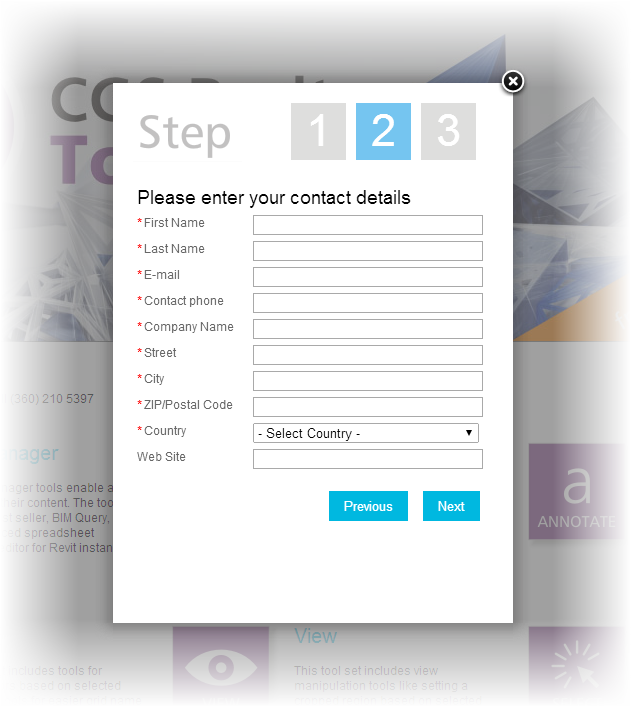
On the downside, the trial registration process felt a little too invasive to me. Requiring a phone number in this day and age might be a little over the top. I think name, email address, company, city, state/province and country should be enough information for acquiring a trial version of any software.
![]() |
| The registration screen |
Setup grade: B
Discoverability
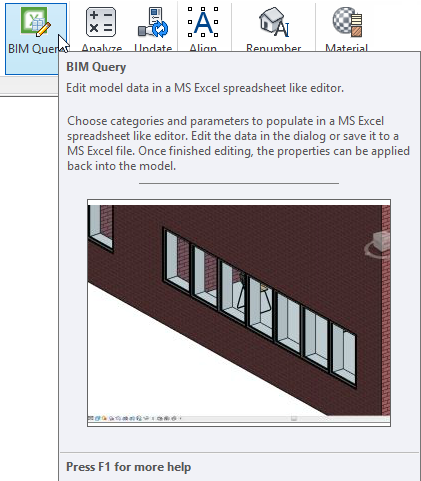
Each tool has Revit-style contextual help within the interface, some with videos.
![]() |
| Contextual help |
Labels:
Annotating,
Excel,
Family Browser,
Family Maintenance,
OpEd,
Parameter Management,
Product Review,
Productivity,
Project Maintenance,
Project Management,
Revit,
Scheduling,
Selection,
Sheets,
Viewing
Friday, September 5, 2014
CBS Flex Documenter Add-in for Revit
From the Autodesk Exchange Apps website...
The purpose of the CBS Flex Documenter is to create .doc and .pdf room data sheets using parameters read from the rooms of a Autodesk® Revit® model. The room data sheets can include both text and a jpg picture of the room.
A standard CodeBook Project database is created during the import process. If doing a one off import, this file can be discarded. However, if retained, it can be used with other CBS Tools.
The CodeBook Project database can also be used with the CodeBook Pro software, taking advantage of the full functionality of libraries, templates and synchronization that CodeBook Pro provides.
The CBS Flex Documenter retails for USD 69.00.
There's more information available on the Autodesk Exchange Apps website.
The purpose of the CBS Flex Documenter is to create .doc and .pdf room data sheets using parameters read from the rooms of a Autodesk® Revit® model. The room data sheets can include both text and a jpg picture of the room.
A standard CodeBook Project database is created during the import process. If doing a one off import, this file can be discarded. However, if retained, it can be used with other CBS Tools.
The CodeBook Project database can also be used with the CodeBook Pro software, taking advantage of the full functionality of libraries, templates and synchronization that CodeBook Pro provides.
The CBS Flex Documenter retails for USD 69.00.
There's more information available on the Autodesk Exchange Apps website.
Tuesday, September 2, 2014
What are Your Favorite Revit Blogs?
I fell quite far behind on blog posts for Revit Add-ons this Spring and early Summer, and have spent the past couple of months trying to catch up, as the following image attests.
I spent the last week or so combing through Luke Johnson's What Revit Wants blog for add-in information to share here. It was hard - that Luke Johnson guy is one busy bee. But it got me thinking about what blogs I find most useful for source information to populate Revit Add-ons with.
Over on his Revit Op-Ed blog, Steve Stafford has a comprehensive list of Revit-focused blogs. This is a great resource, even if Steve doesn't follow Revit Add-ons. D'ohh!
On Revit Add-ons, I have a widget with links to other Revit add-in resource sites. Several of these sites are blogs.
At the top of my list of most useful blogs is What Revit Wants. On this blog, Luke Johnson posts about a lot of Revit add-ins, but he doesn't limit himself to information only of this type. He posts about lots of BIM-related applications like Navisworks, Sketchup, etc, and the occasional add-in for these too. He also posts how to's, quick start guides, and more. Damn good.
I like Scott Sheppard's It's Alive in the Lab blog, from the knowing reference to the original Frankenstein movie to the well-written and informative posts about the different technology previews moving through Autodesk Labs.
Jeremy Tammik's The Building Coder blog is an exceptional resource for do-it-yourselfers. This level of transparency from a major vendor's employee is unprecedented in my experience, and his site is essential for any Revit API developer, be they neophyte or expert.
Along the same lines as Jeremy's blog are also Harry Mattison's Boost Your BIM blog and Paolo Emilio Serra's Punto Revit blog.
So, those are my top 5 blog resources. If you'd like to share your favorite Revit-related blogs, please leave a comment to this post.
I spent the last week or so combing through Luke Johnson's What Revit Wants blog for add-in information to share here. It was hard - that Luke Johnson guy is one busy bee. But it got me thinking about what blogs I find most useful for source information to populate Revit Add-ons with.
Over on his Revit Op-Ed blog, Steve Stafford has a comprehensive list of Revit-focused blogs. This is a great resource, even if Steve doesn't follow Revit Add-ons. D'ohh!
On Revit Add-ons, I have a widget with links to other Revit add-in resource sites. Several of these sites are blogs.
At the top of my list of most useful blogs is What Revit Wants. On this blog, Luke Johnson posts about a lot of Revit add-ins, but he doesn't limit himself to information only of this type. He posts about lots of BIM-related applications like Navisworks, Sketchup, etc, and the occasional add-in for these too. He also posts how to's, quick start guides, and more. Damn good.
I like Scott Sheppard's It's Alive in the Lab blog, from the knowing reference to the original Frankenstein movie to the well-written and informative posts about the different technology previews moving through Autodesk Labs.
Jeremy Tammik's The Building Coder blog is an exceptional resource for do-it-yourselfers. This level of transparency from a major vendor's employee is unprecedented in my experience, and his site is essential for any Revit API developer, be they neophyte or expert.
Along the same lines as Jeremy's blog are also Harry Mattison's Boost Your BIM blog and Paolo Emilio Serra's Punto Revit blog.
So, those are my top 5 blog resources. If you'd like to share your favorite Revit-related blogs, please leave a comment to this post.
Free Open Source NWC (Navisworks) Real-Time View Exporter Add-in for Revit
Coming from the Bentley Systems ecosystem, I was used to a myriad of applications using the .dgn file format. The obvious benefit of this single file format was real-time collaboration across multiple platforms. However, it did introduce complexities to the applications themselves, especially the trying-to-be-everything MicroStation.
Autodesk usually takes a different approach, with application-specific file formats. This has the benefit of optimizing file formats for applications, and the .nwc file format is an excellent example of this. The obvious downside is that there can be no real-time collaboration across platforms, plus the files have to be exported from the source application over and over again. Over and over. Again.
Kyle Morin has solved this problem for Revit to Navisworks by creating an add-in that watches for Revit model changes and updates the corresponding .nwc file associated with a Revit view automatically and in real-time.
That's innovative right there.
There's more information available on Kyle Morin's blog.
Credit: Luke Johnson's What Revit Wants blog.
Autodesk usually takes a different approach, with application-specific file formats. This has the benefit of optimizing file formats for applications, and the .nwc file format is an excellent example of this. The obvious downside is that there can be no real-time collaboration across platforms, plus the files have to be exported from the source application over and over again. Over and over. Again.
Kyle Morin has solved this problem for Revit to Navisworks by creating an add-in that watches for Revit model changes and updates the corresponding .nwc file associated with a Revit view automatically and in real-time.
That's innovative right there.
There's more information available on Kyle Morin's blog.
Credit: Luke Johnson's What Revit Wants blog.
Labels:
Editor's Choice,
Free,
Interoperability,
Open Source,
Revit
Monday, September 1, 2014
File Upgrader 2015 Add-in for Revit
From the Autodesk Exchange apps website...
This application will upgrade all your Autodesk® Revit® files [*.rvt - *.rfa - *.rte] (Project files, family files and template files) to be compatible with Revit 2015.
Choose from these options:
File Upgrader 2015 retails for USD 5.00 on the Autodesk Exchange Apps website.
You may also be interested in: Free Bulk File Upgrader Add-in for Revit
This application will upgrade all your Autodesk® Revit® files [*.rvt - *.rfa - *.rte] (Project files, family files and template files) to be compatible with Revit 2015.
Choose from these options:
- Overwriting the same file.
- Use the same filename but add any suffix you would like.
- Upgrade all to another directory.
File Upgrader 2015 retails for USD 5.00 on the Autodesk Exchange Apps website.
You may also be interested in: Free Bulk File Upgrader Add-in for Revit
Subscribe to:
Posts (Atom)


.png)