Advertisement

Showing posts with label Excel. Show all posts

Wednesday, October 14, 2026

Revision Manager Pro: Make Revision Administration Faster and More Consistent

Executive Summary

Revision Manager Pro is a free Revit productivity and QA/QC add-in from Penguin Tools designed to simplify revision creation, editing, sheet assignment, removal, and reporting. It organizes the work into two main stages: first managing the project’s revision records, and then applying selected revisions to filtered groups of sheets. Its strongest value is scale: operations that normally require repeated dialog navigation and sheet-by-sheet checking can be carried out across hundreds of sheets through a reviewable interface.

Core Capabilities

  • Two-step interface: Separates revision definition and maintenance from revision-to-sheet assignment, making the workflow easier to understand and audit.
  • Revision creation: Creates new project revisions and supports quick templates for recurring descriptions such as Tender, Construction, or other office-standard issue stages.
  • Description history: Reuses standard or previously entered descriptions to reduce retyping and improve consistency.
  • Bulk editing: Updates descriptions or dates for multiple revision records at the same time.
  • Bulk sheet assignment: Applies a selected revision to large numbers of sheets with a single action.
  • Smart sheet filtering: Narrows the sheet list by sheet sets, disciplines, issued status, the presence of revision clouds, or particular revisions.
  • Regular-expression search: Supports advanced pattern searches for both revisions and sheets, enabling precise matching of sheet numbers, names, prefixes, or other naming conventions.
  • Date-format builder: Provides a visual drag-and-drop method for constructing revision date formats that align with office or client standards.
  • Undo Last Set: Reverses the most recent revision-assignment operation, providing a safeguard against accidental bulk changes.
  • Revision-log management: Removes revisions from selected sheets or deletes them more broadly from the project when appropriate.
  • Excel matrix export: Produces a project revision matrix for external reporting, transmittal preparation, audit records, or coordination.

Friday, October 2, 2026

ELLAH-M: A Structural-Production Toolkit

Executive Overview

ELLAH-M is a Revit productivity add-in developed specifically for structural engineers and BIM teams. Its currently published core automates structural-column numbering, foundation and pile numbering, and two-way Excel exchange. Broader tools presented on the developer’s website extend the concept toward project setup, view and sheet creation, opening and recess modeling, and future automated pile layout.

The add-in’s central design idea is continuity across the structural workflow: marks assigned to columns can drive the identification of supporting pile caps and individual piles; selected model data can move to Excel for coordination and return to the correct Revit elements; and office standards can be reused to establish views and sheets in new projects. This makes ELLAH-M less of a general-purpose utility collection and more of a structural-production toolkit centered on numbering, information consistency, and drawing setup.

Product-status distinction: Autodesk Marketplace currently presents column numbering, foundation and pile numbering, and Excel export/import as the principal released capabilities. The developer’s version 1.3.1 website also advertises Project Setup and FastVoid as available in the trial, while some page sections still label FastVoid and automated pile layout as in development. Teams should therefore confirm the exact feature set in the installed Marketplace build before relying on website previews.

Structural Column Numbering

ELLAH-M scans structural columns, sorts them according to the chosen project logic, and writes sequential identifiers directly to Revit’s native Mark parameter. The tool is intended to replace manual renumbering across multiple levels while preserving a predictable relationship between vertically aligned structural members.

Published Capabilities

  • Multi-level numbering: Columns can be numbered across the full project rather than one level at a time.
  • Existing-mark continuity: The Marketplace states that the tool can continue from existing manual numbering without overwriting intentional marks.
  • Preview before commit: Proposed changes can be reviewed before values are written to the model.
  • Native undo: Changes support Revit’s standard Ctrl+Z undo workflow.
  • Structural-category targeting: The tool is described as operating on structural columns, limiting accidental edits to unrelated architectural columns or other categories.
  • Flexible scope: Developer material describes full-project, single-floor, selected-range, and manual numbering modes.
  • Snake Path: A newer interactive method lets the user move the cursor over columns in the desired sequence without clicking every element. Published controls indicate Space can skip a number and Ctrl can finish the path.
  • Output choice: Developer demonstration material states that Snake Path can write the sequence to Mark or Comments while maintaining vertical numbering continuity across floors.

Saturday, September 26, 2026

Electrical Panels Manager

Executive Overview

Electrical Panels Manager (EPM), published by BIM_OS, is an add-in for Autodesk Revit aimed at electrical engineers, BIM engineers, coordinators, and model authors. It centralizes electrical-panel data editing, automates recurring panel naming and rating tasks, sizes feeder cables using IEC-based methods, performs voltage-drop and short-circuit studies, and exports engineering reports without requiring the user to leave Revit. The add-in is designed to replace repetitive schedule reading and parameter entry with a single interface that reads model data, calculates results, and writes approved values back to Revit.

Panel Discovery and Data Management

  • Automatic panel discovery: Current product descriptions state that EPM can detect panels in the active 2D or 3D view and can switch to whole-project scanning, reducing the need for manual selection.
  • Centralized property editing: The interface exposes critical properties such as panel name, location, mains or bus rating, circuit-breaker rating, short-circuit rating, enclosure type, number of slots or maximum breakers, and comments.
  • Direct model updates: EPM reads Revit’s electrical parameters and writes edits back to the panel elements in a single transaction.
  • Batch processing: Multi-panel selection supports consistent edits and calculations over several panels rather than one element at a time.
  • Panel visualization: A Show Panel function highlights or isolates the selected panel in an appropriate view, helping users locate equipment while reviewing tabular information.
  • Standardized naming: Auto-naming uses user-defined prefixes, reference codes, separators, start indices, and increments. Panels can be grouped by level, zone, or location reference to align identifiers with project conventions.

Automated Ratings and Connected-Load Workflow

The Auto Calculate or Auto Assign workflow reads connected loads from Revit and uses them to propose mains and circuit-breaker ratings. Marketplace material describes an 80% design-current rule associated with IEC 60364-4-43. This can accelerate initial sizing and improve consistency across a large panel population, but the quality of the result depends on accurate Revit circuiting, load classifications, demand assumptions, supply-system data, and parameter mapping. Calculated ratings should therefore be treated as engineering outputs requiring review rather than unquestioned metadata updates.

Tuesday, September 15, 2026

Free SVS Smart Vision Suite: A Productivity and Model-Quality Toolkit

Summary

SVS Smart Vision Suite is a free productivity and model-quality toolkit for Autodesk Revit developed by SVS Team. According to its Autodesk Marketplace listing, it is intended to bring common project setup, sheet creation, parameter exchange, model-health review, and grid-dimensioning workflows together under one consistent SVS ribbon for Revit 2022 through Revit 2027.

Primary Purpose

The add-in is designed to streamline repetitive Revit production and coordination tasks that are commonly performed by BIM coordinators, model managers, and project teams. Instead of focusing on a single task, Smart Vision Suite combines several utilities into one toolkit: project setup automation, batch sheet creation, sheet renumbering, parameter export/import, model health reporting, and automated grid dimensioning.

One-Click Project Setup

One of the suite’s central tools is One-Click Project Setup. It can apply Architecture, MEP, Coordination, or saved setup profiles for project information, worksets, levels, views, and sheets. The tool is described as opening with a safe Empty profile, with no default rows and every creation option disabled, which helps prevent unintended project changes. Users can preview changes before applying them, making the workflow more controlled and suitable for real project startup conditions.

Sunday, September 13, 2026

SVS Exporter: A Revit Productivity Suite and Export Utility

Summary

A Revit productivity suite for batch exports, schedule Excel workflows, site/model data management, and common BIM documentation tasks.

Overview

SVS Exporter is a productivity add-in for Autodesk Revit developed by SVS Team. It is designed to automate repeated documentation and model-management workflows, especially the kinds of export, schedule, parameter, and coordination tasks that can consume significant project production time. The Autodesk Marketplace listing describes it as a toolset for exporting sheets, schedules, site data, model formats, and managing common BIM tasks.

Unlike a single-purpose exporter, SVS Exporter combines several practical utilities in one ribbon-based Revit interface. Its published feature set includes PDF and DWG sheet/view export, schedule export and import through Excel, schedule template creation and syncing, parameter copying, site-coordinate tools, model export options, style transfer, level reassignment, family orientation, grid/link/CAD reference controls, license activation, update notices, and an in-app user guide.

Primary Purpose

The primary purpose of SVS Exporter is to reduce repetitive manual production work in Revit. BIM teams often spend time exporting sheets, creating DWG deliverables, pushing schedules into Excel, reimporting updated data, cleaning CAD references, adjusting element levels, and preparing model exports. SVS Exporter gathers these recurring tasks into a set of focused commands so teams can work faster and more consistently.

For architects, engineers, BIM coordinators, and documentation teams, the add-in functions as a practical production assistant rather than a design-authoring platform. It helps standardize export workflows, streamline schedule data exchange, and simplify common Revit model-management operations.

Sunday, September 6, 2026

Visibility Manager: Manage View Filters and V/G Overrides Across Views, View Templates, and Projects

Summary

Visibility Manager is a professional Autodesk Revit add-in developed by IB-BIM / Itzik Bejarano for managing view filters and Visibility/Graphics overrides across Revit views, view templates, and projects. It is designed to reduce the manual effort required to copy, remove, export, and import view-filter settings and category-based V/G overrides, especially in large models with many views, templates, disciplines, and documentation standards.

Purpose and Design Intent

The add-in addresses a common Revit production challenge: keeping visibility settings consistent across many views and templates. Native Revit tools can manage filters and V/G overrides, but applying the same settings repeatedly across many targets can be slow and error-prone. Visibility Manager provides a structured interface for bulk operations, allowing BIM teams to standardize project appearance, streamline coordination views, and manage template-driven graphics more efficiently.

Core Workflow

Visibility Manager works from the currently active Revit view. Users launch the tool from the IB-BIM ribbon tab or the Add-Ins tab, choose whether to work in Filters Mode or V/G Overrides Mode, select source settings from the current view, and then choose target views or target templates. The tool is organized around three main areas: the current source view, target views, and target templates. This layout makes it clear where settings are coming from and where they will be applied.

Dual Operation Modes

Filters Mode

Filters Mode allows users to copy or remove Revit view filters in bulk. The add-in preserves filter settings, rules, criteria, conditions, parameters, graphic overrides, and complex logic so that filters can be replicated accurately from a source view to multiple views or templates. This is useful for coordination filters, discipline filters, phasing filters, system-color filters, issue-review filters, and other office-standard graphics.

Saturday, September 5, 2026

Type Manager Pro: Batch Rename Revit Types

Summary

Type Manager Pro is a commercial Autodesk Revit add-in developed by IB-BIM Tools / Itzik Bejarano for batch renaming Revit types. Unlike family-data management tools that focus on Type Catalogs or Lookup Tables, this add-in is centered on the practical day-to-day task of renaming existing Revit element types inside a project with controlled preview, validation, Excel export/import, and undo support.

Purpose and Design Intent

The add-in is designed to help BIM managers, coordinators, and Revit power users rename many Revit types quickly while avoiding common naming mistakes. Revit type names are often managed manually across walls, doors, windows, furniture, equipment, annotation objects, and other model or documentation categories. Type Manager Pro provides a dedicated interface where users can select a category, filter available types, preview proposed changes, validate results, and execute all approved renames in a single Revit transaction.

Core Workflow

Users open a Revit project, go to the IB-BIM Tools ribbon tab, launch Type Manager Pro, and choose a category from the dropdown list. The tool displays all types in that category with selection checkboxes and a live preview column. Users can select individual types or all visible types, apply a renaming operation, review the preview results, and then execute the valid changes. The execute button changes color to communicate status: gray when no items are selected, green when valid renames are ready, and red when all selected items contain errors.

Rename Operations

  • Prefix: Adds text before the current type name.
  • Suffix: Adds text after the current type name.
  • Find/Replace: Replaces matching text inside type names.
  • Wildcard support: Supports wildcard patterns such as asterisks and question marks in find-and-replace operations.
  • Search filtering: Allows users to filter the displayed type list before selecting and renaming items.
  • Live preview: Shows proposed new names before changes are applied, with valid changes and errors visually distinguished.

Friday, September 4, 2026

Free ScheduleLink: Round-Trip Element Information Between Schedules & Excel

Summary

ScheduleLink is a free Autodesk Revit add-in from IB-BIM that creates a round-trip connection between Revit schedules and Microsoft Excel. It allows users to export Revit schedules to professionally formatted Excel workbooks, edit schedule values in Excel, and import the changes back into Revit so that the underlying Revit elements are updated directly.

Purpose and Design Intent

The add-in is designed for Revit users who prefer to review, edit, and coordinate schedule data in Excel while still keeping the Revit model as the source of truth. Instead of manually changing many parameter values inside Revit schedules, users can use Excel’s familiar editing environment for bulk changes, then use ScheduleLink to validate and synchronize those edits back to model elements.

Core Workflow

ScheduleLink works through a simple export-edit-import process. Users launch the tool from an open Revit project, choose any schedule from the project list, preview the schedule parameters with color-coded editability indicators, export the schedule to Excel, make edits in the workbook, and then import the modified file back into Revit. During import, the add-in checks the workbook, applies only changed values, and provides a detailed results summary.

Key Features

  • Exports Revit schedules to Excel with a WYSIWYG approach so the workbook reflects the schedule’s sorting, grouping, filters, and column order.
  • Allows users to pick from all schedules in the current project without opening the schedule view first.
  • Includes fast dynamic search for locating schedules by name.
  • Displays a parameter preview with color-coded columns that indicate editable, type, calculated, and read-only fields.
  • Imports modified Excel data back into Revit and updates only values that changed.
  • Uses smart pre-checks to detect whether the Excel file contains changes before beginning import.
  • Provides project validation to help prevent importing data into the wrong Revit project.
  • Includes detailed import progress, error reporting, and copy-to-clipboard results.
  • Supports full undo behavior by applying imports in a single Revit transaction.
  • Includes right-to-left language support for Hebrew, Arabic, and other RTL languages.

Wednesday, September 2, 2026

Kobi Toolkit for Autodesk Revit: A Broad, All-in-One Productivity Suite

Summary

Kobi Toolkit for Autodesk Revit is a productivity add-in from KobiLabs designed to enhance BIM workflows, reduce repetitive tasks, and extend Revit’s native capabilities. According to KobiLabs and the Autodesk App Store listing, the toolkit includes nine toolsets and more than 40 individual tools focused on BIM management, QA/QC, analysis, reinforcement, annotation, modification, view control, selection, and content administration.

Purpose and Positioning

The toolkit is intended for Revit users who need practical utilities that save time during model setup, documentation, model checking, data editing, and content management. Rather than focusing on one narrow workflow, it functions as a broad all-in-one productivity suite for design and BIM teams. Its strongest value is in helping users complete common model-management tasks faster and with fewer manual steps.

Main Toolsets

Kobi Toolkit is organized into nine toolsets: BIM Manager, QA & QC, Analysis, Reinforcement, Annotate, Modify, View, Selection, and Content Admin Kit. This organization makes the toolkit applicable to multiple stages of a Revit project, including project setup, model production, coordination review, documentation, reporting, and content library maintenance.

Key Features

BIM Query

BIM Query is one of the toolkit’s central features. It allows users to edit type and instance properties for selected Revit categories in a spreadsheet-style interface. The built-in editor supports common Excel-like functions such as sorting, filtering, and copying parameters. Users can also export schedule or model data to Excel, update it externally, and bring the revised data back into Revit. This makes BIM Query valuable for bulk parameter editing, schedule review, model data cleanup, and reducing repetitive manual property changes.

BIM Query

Thursday, February 6, 2025

IMAGINiT Utilities for Revit 2025 Includes More than 50 Tools!

From the IMAGINiT website:

IMAGINiT Utilities for Revit

The Indispensable Time Savers for the Autodesk Revit Platform

All of the IMAGINiT Utilities for Revit are designed to enhance your capabilities within Autodesk Revit. Created by IMAGINiT’s software development team in response to common client requests, these utilities seamlessly integrate into Revit, streamlining tasks and eliminating the need for manual, time-consuming work. The IMAGINiT Utilities are available in Standalone or Network versions, each available as a subscription or perpetual license. Annual licenses are available free to clients who have an annual or multi-year subscription to Autodesk products with IMAGINiT.

More Than 50 tools to Improve your Revit Experience!

Schedule from Excel

The new Excel Import feature caters to a wide range of Revit users, allowing easy integration of nonBIM data into the building information model (BIM). This tool effortlessly incorporates Excel checklists, abbreviations, general notes, keynotes, and other data into the model, with fast and precise calculations, eliminating countless hours to recreate data

Project/Template Report

Power users, such as BIM managers and project coordinators will appreciate the Project/Template Report tool which automatically documents necessary data, eliminating manually running comparisons and documenting standards

Friday, June 14, 2024

Free Export/ Import Excel Ez

From the Autodesk App Store:

Description

The Export/Import Excel Ez plugin for Autodesk® Revit® is a powerful and versatile tool designed to enhance your workflow by seamlessly integrating Excel functionality into your Revit environment.

This plugin provides a comprehensive set of features that enable users to efficiently manage and manipulate Revit schedules, seamlessly transferring data between Revit and Excel with ease.

1. The Add-in allows you to export multiple schedules with many options:

  • Export Schedules to Separate Excel Files
  • Combine Multiple Schedules in One Excel Sheet
  • Export Images from Schedules to Excel Files

2. Modify data in Excel (Revit 2022 and above)

  • Modify Schedule Data through Export/Import:  The plugin offers a unique and efficient way to modify schedule data. Users can export a schedule to Excel, make necessary changes, and then import the modified Excel file back into Revit. This feature streamlines the process of data manipulation, ensuring accuracy and consistency while saving time.

3. Import Excel Data into Legends or Draft Views as Images:

  • The plugin introduces an innovative capability by allowing users to import Excel data directly into legend or draft views as images. This feature is particularly beneficial for creating visual representations of data-driven content within your Revit projects. Whether you need to showcase project data or display design variations, this functionality provides a dynamic solution.

Monday, April 18, 2022

Free Export Schedule

From the Autodesk App Store:

Description

Adds the ability to export a schedule to an Excel file. Unlike the current export via a text format the app can respect font styles, column widths, merged column headers and background colors. 


Sunday, February 20, 2022

DiRoots.One: Eight Free Bundled Productivity Tools

From the DiRoots website:

Eight Productivity Tools for Autodesk Revit.

DiRootsOne 1.0.2.0

A single application bundle that includes 8 free Autodesk Revit Plugins to boost your productivity. DiRootsOne allows seamless interoperability between our plugins, opening doors to new workflows and ways for getting your job done faster and better.

One Bundle, 8 Free Revit Plugins to make your life easier.

SheetLink

Export your Revit model data (by categories, elements, schedules) to Excel and Google Sheets. Edit the data and import it back to update the model.

MORE DETAILS

Tuesday, February 8, 2022

Free Export/ Import Excel Ez

From the Autodesk App Store:

Description

1. The Add-in allows you to export multiple schedules (even with images) in Autodesk® Revit® project to Excel with many options:

  • Export images from schedules to Excel files.
  • Export schedules to separate Excel files.
  • Export schedules to combined sheets in one Excel file.
  • Export Schedule in Excel as a table.
  • Export Schedule in Excel as a text.
  • Combine many options.
  • Export 1 schedule to 1 excel file

2. Import Excel file into Revit project.


Wednesday, January 5, 2022

Database Editor

From the Autodesk App Store:

Description

Performance

The lightweight spreadsheet-like editor that edits Autodesk® Revit® data in milliseconds.

Flexibility

Sorts and filters data directly from the table. Edits instance and type parameters across all categories.

Intelligence

Recognizes all different Revit data storage types. Exposes hidden and read-only object information in the data table.

Speed 

Paste cell values to as many cells as required, just like in Excel. Find and replace values in multiple columns.

Adaptable

Save and load data table views like you normally do with schedules in Revit

Export

Exports your data table to Excel, PDF and printer.

Sunday, December 26, 2021

unit Export tools

From the Autodesk App Store:

Description

A number of free tools are available directly out of the box. For some premium features, you need purchase a subscription to unlock all restricted features. For more info see: Tools comparison or read the information below.

FREE FEATURES

Open in PDF

Command automatically sets the paper size according to the view size and opens the current view in the default PDF viewer.

Learn more at Open in PDF | Revit Export | unit Documentation (unit-bim.com)

Open in DWG

The command opens the current view in the default Dwg browser.

Learn more at Open in DWG | Revit Export | unit Documentation (unit-bim.com)

Open in EXCEL

Continue working with the schedule in Excel with one click. You can set the export format in the settings.

Learn more at Open in Excel | Revit Export | unit Documentation (unit-bim.com)

Thursday, December 16, 2021

K.Tools

From the Autodesk App Store:

Description

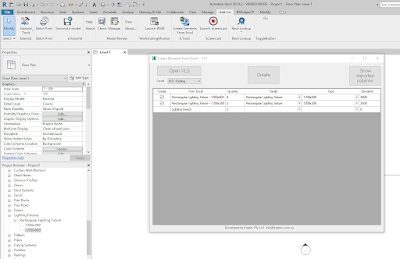
Create Elements From Excel will help you to create groups of non-hosted elements in the model by coordinates and rotation angle exported from an Excel document (xls /.xlsx).

Create Elements From Excel

Sunday, December 12, 2021

Holixa Tools — A Productivity Suite Featuring Many, Many Tools

From the Autodesk App Store:

Description

Set of productivity tools for Autodesk® Revit® 2022, 2021 and 2020. Contains tools like a job-time tracker, reference list, wall openings, compound structure annotation, room floors, dimensioning tools, left/right door opening schedules, room renumbering, duct renumbering, duct splitting, export schedule to Excel, watermark/sign BIM documents, create anaglyph image from 3D view, change the text to upper, lower or title case and replace by using regular expression and create the legend of selected doors, windows, etc. and their selected parameters; extended filter for element selection, wall-pipe dimensions, export/import of schedules (bidirectional), mass join geometry, door swings in curtain walls, sheet scales, sheet formats, type legend, text alignment, command line, project purging, batch publishing to PDF, importing Autodesk® Civil 3D® terrain and direct access to thousands of RFA families.

Online tools for accessing RFA families. Compatible with Revit 2022, 2021 and 2020. The trial version is limited to 15 days of using and have some small limitation in function.


Friday, December 10, 2021

Free Duplicate Structural Family Types

From the Autodesk App Store:

Description

This add-in helps you to create all the family types of categories (Columns, Framings, and Foundations) at once using an Excel sheet or by manually adding the types of data to an easy UI.

Saturday, December 4, 2021

Ideate Software Bundle

From the Autodesk App Store:

Description

Firms that deploy Ideate Software widely enjoy increased benefits. Install all Ideate Software solutions from a single download and empower your team to be less focused on time-consuming Autodesk® Revit® activities.

Ideate BIMLink is the Revit data management solution that lets you pull and push volumes of information from a Revit file — Architecture, Structure, and MEP — into user-friendly Microsoft® Excel® with speed, ease, and accuracy.