Advertisement

Showing posts with label Legend. Show all posts

Thursday, February 6, 2025

IMAGINiT Utilities for Revit 2025 Includes More than 50 Tools!

From the IMAGINiT website:

IMAGINiT Utilities for Revit

The Indispensable Time Savers for the Autodesk Revit Platform

All of the IMAGINiT Utilities for Revit are designed to enhance your capabilities within Autodesk Revit. Created by IMAGINiT’s software development team in response to common client requests, these utilities seamlessly integrate into Revit, streamlining tasks and eliminating the need for manual, time-consuming work. The IMAGINiT Utilities are available in Standalone or Network versions, each available as a subscription or perpetual license. Annual licenses are available free to clients who have an annual or multi-year subscription to Autodesk products with IMAGINiT.

More Than 50 tools to Improve your Revit Experience!

Schedule from Excel

The new Excel Import feature caters to a wide range of Revit users, allowing easy integration of nonBIM data into the building information model (BIM). This tool effortlessly incorporates Excel checklists, abbreviations, general notes, keynotes, and other data into the model, with fast and precise calculations, eliminating countless hours to recreate data

Project/Template Report

Power users, such as BIM managers and project coordinators will appreciate the Project/Template Report tool which automatically documents necessary data, eliminating manually running comparisons and documenting standards

Wednesday, June 12, 2024

Free Align Views & Rename Sections

From the Autodesk App Store:

Description

This plug-in for Autodesk® Revit® can help to save time while aligning multiple drawings with large sets of views and schedules.

Main features:

  1. Align Views: just select a few elements and the align view tool will sort them for you. Only the sheets which have the same amount of view as the model sheet can be selected.
  2. Rename Sections: automatically rename section and section detail number.
  3. Rename Sheets: automatically rename sheet and sheet number.
  4. Copy legend: copy legends or schedules across sheets.
  5. Rotate the current view.

Sunday, December 12, 2021

Holixa Tools — A Productivity Suite Featuring Many, Many Tools

From the Autodesk App Store:

Description

Set of productivity tools for Autodesk® Revit® 2022, 2021 and 2020. Contains tools like a job-time tracker, reference list, wall openings, compound structure annotation, room floors, dimensioning tools, left/right door opening schedules, room renumbering, duct renumbering, duct splitting, export schedule to Excel, watermark/sign BIM documents, create anaglyph image from 3D view, change the text to upper, lower or title case and replace by using regular expression and create the legend of selected doors, windows, etc. and their selected parameters; extended filter for element selection, wall-pipe dimensions, export/import of schedules (bidirectional), mass join geometry, door swings in curtain walls, sheet scales, sheet formats, type legend, text alignment, command line, project purging, batch publishing to PDF, importing Autodesk® Civil 3D® terrain and direct access to thousands of RFA families.

Online tools for accessing RFA families. Compatible with Revit 2022, 2021 and 2020. The trial version is limited to 15 days of using and have some small limitation in function.


Wednesday, September 29, 2021

L4R Family Legend Creator

From the Autodesk App Store:

Description

L4R Family Legend Creator is an Autodesk® Revit® add-on that allows the user to automatically create a legend using a schedule.

L4R Family Legend Creator is capable of creating symbols from an object instantiated on sheet. The user automatically can instantiate the legend in the selected plane sheet. This legend will be created with the instance of objects on the sheet selected by the user.

Tuesday, August 3, 2021

Free Legend Component Hidden Views

From the Autodesk App Store:

Description

The app allows you to change the view direction for legend components. It gives you possibility to also choose view types not accessible in the Autodesk® Revit® environment. You can choose one of eight view directions for all families in your Revit project.

The app supports the following view directions:

  • 3D view
  • Floor plan
  • Ceiling plan
  • Section view
  • Back elevation
  • Front elevation
  • Left elevation
  • Right elevation

Please keep in mind that not all the family types support all view types.

Saturday, July 31, 2021

Tag Legend

From the Autodesk App Store:

Description

This application allows Autodesk® Revit® users to place a tag for Legend Component and keep the tag updated automatically.

By using this app, Revit users can also input door & window information to door & window type parameter automatically such as: number of instances, level, sill height, room name.

Tuesday, July 20, 2021

10 Amazing pyRevit Features to Save Insane Amounts of Time

From the Revit Pure blog:

By Nicolas Catellier

pyRevit is an amazing free plugin that will save you an insane amount of time. Download the plugin by clicking here. You can support the project on Patreon by clicking here.

Without further ado, let’s discuss the great tools included in pyRevit.

1- MAKE PATTERN

One of the best feature in pyRevit is called “Make Pattern”. We discussed it in the previous blog post so make sure to check it out by clicking this link.

2- BATCH SHEET MAKER

Creating multiple sheets in Revit has always been slow and boring. Some Dynamo scripts can help, but they can’t compete with the efficiency of pyRevit Batch Sheet Maker tool.

Continue reading on the Revit Pure blog »

Monday, December 16, 2019

Copy Legend

From the Autodesk App Store:

This application allows Autodesk® Revit® users to copy Legend Views from sheet to sheets very quickly.

Revit users must select Legend Viewports first, then select button CopyLegend.

A dialog will appear to ask you to select which sheets you want to copy Legend Viewports to.

Select the wanted sheets and Click OK.


Saturday, December 14, 2019

SmartViews

From the Autodesk App Store:

One of the most powerful Autodesk® Revit® sheet and view manager. Duplicate sheets with views in the same position. Create, duplicate, modify any sheets and/or views easily. Drop any views on sheets without any hassle.

Features:
  1. Duplicate multiple sheets with views and keep relative positions in the sheet
  2. Add multiple legends
  3. Duplicate, rename, sort, modify, create multiple views and sheets
  4. Place views in exact sheet positions. Copy and paste positions to multiple views in different sheets
  5. Change viewports, title blocks, templates, scales, and other parameters.

Simple and easy: views in the left box / sheets in the right box

Sunday, September 29, 2019

Place a Legend or Schedule on Multiple Sheets

From the Autodesk App Store:

This application enables a user to place a Legend or Schedule on multiple sheets in the same location as the one selected. If the Legend or Schedule already exists on the selected Sheet, the Legend or Schedule's location will be updated to match the one selected.

Select Sheets

Saturday, June 15, 2019

Free Transfer Legend

From the Autodesk App Store:

The Transfer Legend add-in for Autodesk® Revit® is a free application which helps you to transfer/copy existing legends from a Revit linked document file to the current document with a few simple clicks.


Read Help Document

About This Version

Version 1.0.0, 6/7/2019


Transfer Legend is brought to you by TwentyTwo. It's free.

This add-in is compatible with Revit 2020, 2019, 2018 and 2017.

Download from the Autodesk App Store »

Questions? Contact the developer »

Tuesday, May 21, 2019

Rockit v2020.0.1

From the Autodesk App Store:

Rockit™ Autodesk® Revit® productivity tools to assist model and BIM managers, and anybody using Revit with a massive collection of the most useful and productive add-in utilities on the market. Using Rockit Bulk Rename you are able to rename multiple views or sheets or anything! with one click using the powerful find & replace, suffix, prefix options. With parameters manager, you are able to quickly find the shared parameter you are after and bind it to the project or family, quickly rename or delete shared and project parameters.

With the project search tool, you can find anything within the project browser so simply like you are using Skype and searching for a contact, this functionality has been included into the object style and materials search, category search and publish tools. Family management commands. Publish to PDF (include sheet revisions), manage links, sheet creator, and so much more.

Rockit Project Search

Tuesday, May 7, 2019

Free Replicate Legend/View on Sheets

From the Autodesk App Store:

Copy/paste a Viewport from one sheet to multiple other sheets.

Works with Legends and any type of View.

Your new Viewports will automatically be placed at the right location.

-----

Tired of dragging and dropping the same Legend 20 times on your set of drawings?

Tired of having to manually duplicate your View before placing them on your sheets?

Don't you think it's a bit odd when your Viewports aren't perfectly aligned from one plan to another?

Because that's what I felt, and that's why I developed this tool.

If you have a Legend/View that needs to appear on numerous sheets, this tool will save you a lot of time.

Thursday, February 14, 2019

Sheet Package – A Budget-Priced Bundle of 10 Sheet-Related Apps

From the Autodesk App Store:

This application contains the following apps:
  1. Batch modify Revisions on sheets: The tool will help the user to edit Revisions on sheets parameters.
  2. Copy Sheets: This tool will duplicate the needed viewports for the new sheets, saving hundreds of hours used in setting the new sheets and adjust the viewports.
  3. Create Sheets from Excel List: This tool is designed to create sheets in Autodesk® Revit® model using an existing Excel sheet list.
  4. Batch Create Sheets: To facilitate the process of creating sheets in Revit, this tool will help you to create any number of needed sheets by one click.
  5. Import / Export sheet data from Excel: The tool will save a lot of time by transferring the sheet list information from Excel and from Revit to Excel.
  6. BATCH (ADD / REMOVE) LEGEND: This tool is designed to batch add/remove legends in Revit sheets. 
  7. Place Views On sheets: This tool is designed to place sheets on views automatically.
  8. Sheet Renumbering: The tool is designed to renumber the sheets automatically.
  9. Synchronize same viewport location to all sheets: This tool is designed to synchronize the viewport location in the same location in all selected sheets. 
  10. Edit sheet parameters: The tool is designed to batch edit sheet parameters. 

Monday, November 19, 2018

IMAGINiT Utilities for Revit 2019 – Includes 3 New Tools

From the IMAGINiT Technologies website:

IMAGINiT Utilities for Revit


Request Info    Download

The Indispensable Time-Savers for Autodesk Revit

IMAGINiT Utilities for Revit 2019 supports only Revit 2019 products. We also offer versions for Revit 2016, 2017 and 2018. Available in either Standalone or Named-User versions.

NEW in Utilities for Revit 2019*:

Annotation Font Update
Scan for all font references in your model and push updated fonts with an easy-to-use wizard.

Shared Parameter Check
Scan your model for shared parameters that should be migrated to your centralized file, or inconsistent shared parameter identifiers and type/instance settings. Allowing you to maintain more effective shared parameters for everyone.

Family Placement
Look at families that are in a folder structure and - with just 2 clicks - load and place them. Family Placement runs as a Palette inside Revit, so it's available whenever you need it. If your project has a large number of families, this tool will save significant time.

*These tools only in IMAGINiT Utilities for Revit 2019.

Sunday, January 14, 2018

Bonus Tools v20.17.12.12 – Features 10 New Tools, 119 Total

From the Autodesk App Store:

About This Version

Version 20.17.12.12, 1/10/2018

Friday, September 29, 2017

T4R Productivity Suite

From the AGACAD website:

Get Access to All Productivity-Boosting Autodesk® Revit® Apps


T4R Productivity Suite reduces BIM stress and extends the power of Autodesk® Revit® software. This collection of productivity tools includes fast documentation and smart modeling extensions for all Revit users. 

T4R Suite is your all-access pass for tools for Revit you need, no matter who you are, architect or structural engineer, designer or MEP engineer! Created by Revit experts, plugins help you customize Revit software to meet your specific designing needs and increase your designing efficiency.

  • Import data from Excel to Revit and accurately create, distribute and modify elements
  • Quickly group, sort and renumber Revit elements in your projects
  • Easily create and manage legends of any Revit family category
  • Precisely calculate overall heat transfer coefficient
  • Create and manage sheets, and easily make fast documentation 

Wednesday, September 27, 2017

T4R Dynamic Legend – “Smart Legend Creation and Easy Update”

From the AGACAD website:

Smart Legend Creation and Easy Update


Dynamic Legend creates intelligent legends in Revit® that you can update with a click. It also splits specifications across pages, allows multiple views of any element (including real pictures), and works with linked projects. 

  • Easily create legends of any Revit family category
  • Quickly group and sort elements in your legends
  • Update all legends in one click


Friday, September 1, 2017

Legend Add/Remove

From the Autodesk App Store:

This tool is designed to batch add/remove legends in Autodesk® Revit® sheets.
The tool will place the legend in many sheets in the same location, saving a lot of time.


About This Version

Version 1.0.0, 8/28/2017 – Initial Release


Legend Add/Remove is brought to you by BIM WhatsApp. It's priced at US $8.00/month or $10.00/year.

This add-in is compatible with Revit 2018.

There's more information available on the Autodesk App Store.

Tuesday, July 18, 2017

IMAGINiT Utilities for Revit 2018 – Includes 2 New Tools

From the IMAGINiT Technologies website:

IMAGINiT Utilities for Revit


The Indispensable Time-Savers for Autodesk Revit

IMAGINiT Utilities for Revit 2018 supports only Revit 2018 products. We do also offer versions for Revit 2015, 2016 and 2017. The IMAGINiT Utilities are available in either Standalone or Named-User versions.

NEW in Utilities for Revit 2018*:

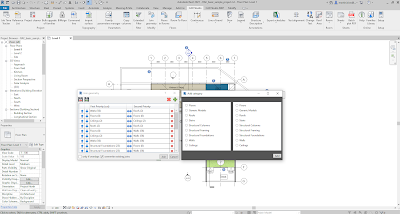
Legend View Creation
Get help creating legend views for components used in your project.

Room Contents Import
Quickly bring in all the required components for a given room.

*These tools only in IMAGINiT Utilities for Revit 2018.

Try IMAGINiT Utilities for Revit free for 14 days.

Other Tools Include:

Batch Ungroup
Save yourself from the mind-numbing task of ungrouping multiple groups in your model.